
User Guide · For agents & buyers
Master the Ever Rise site & EVA
in 8 simple steps
Search listings · use the filters · download photos and sales copy to repost · and let the EVA assistant answer clients 24/7 — with real screenshots at every step.
Open the site & main menu
Go to everriserealestate.co for the home page — featured listings and every company channel. The top menu works on every page.
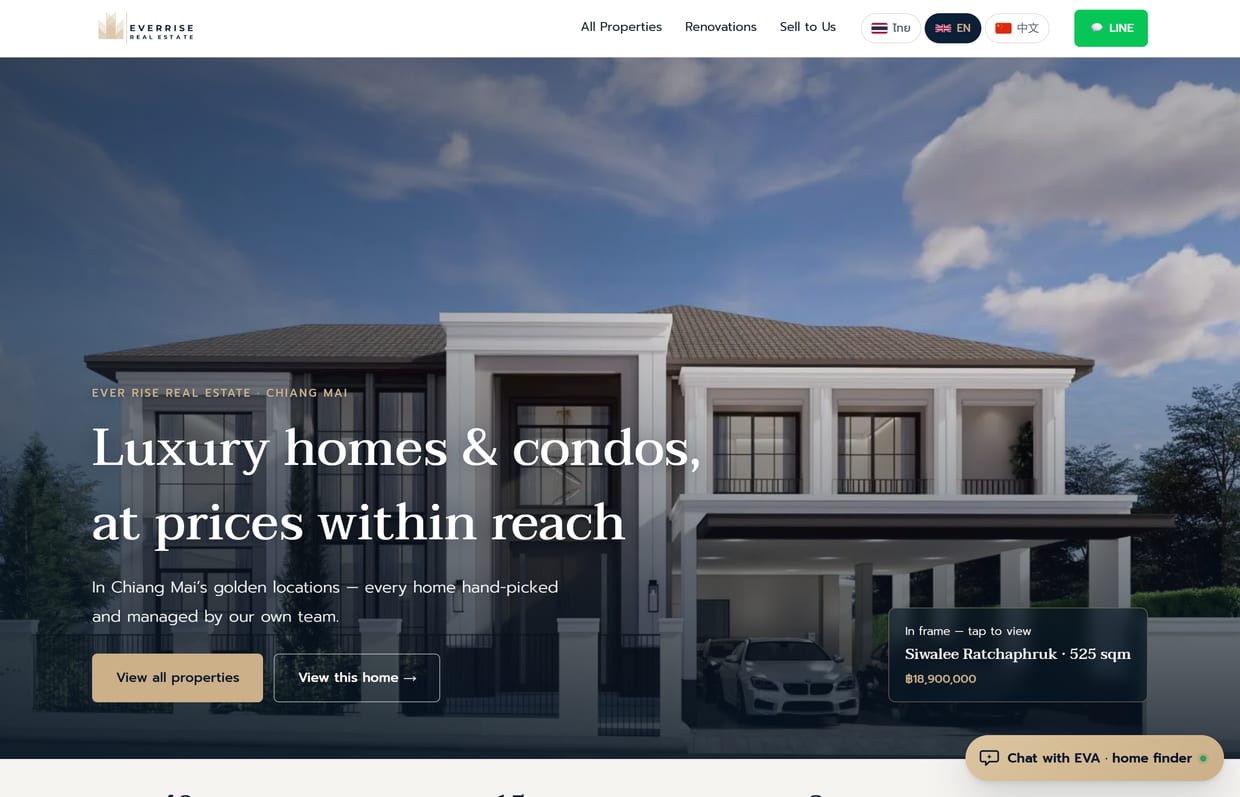
- Top menu: All Properties Renovations Sell to Us For Agents
- Switch language top-right — TH / EN / 中文 (see step 7)
- The green LINE button = add our team on LINE instantly
All properties & filters
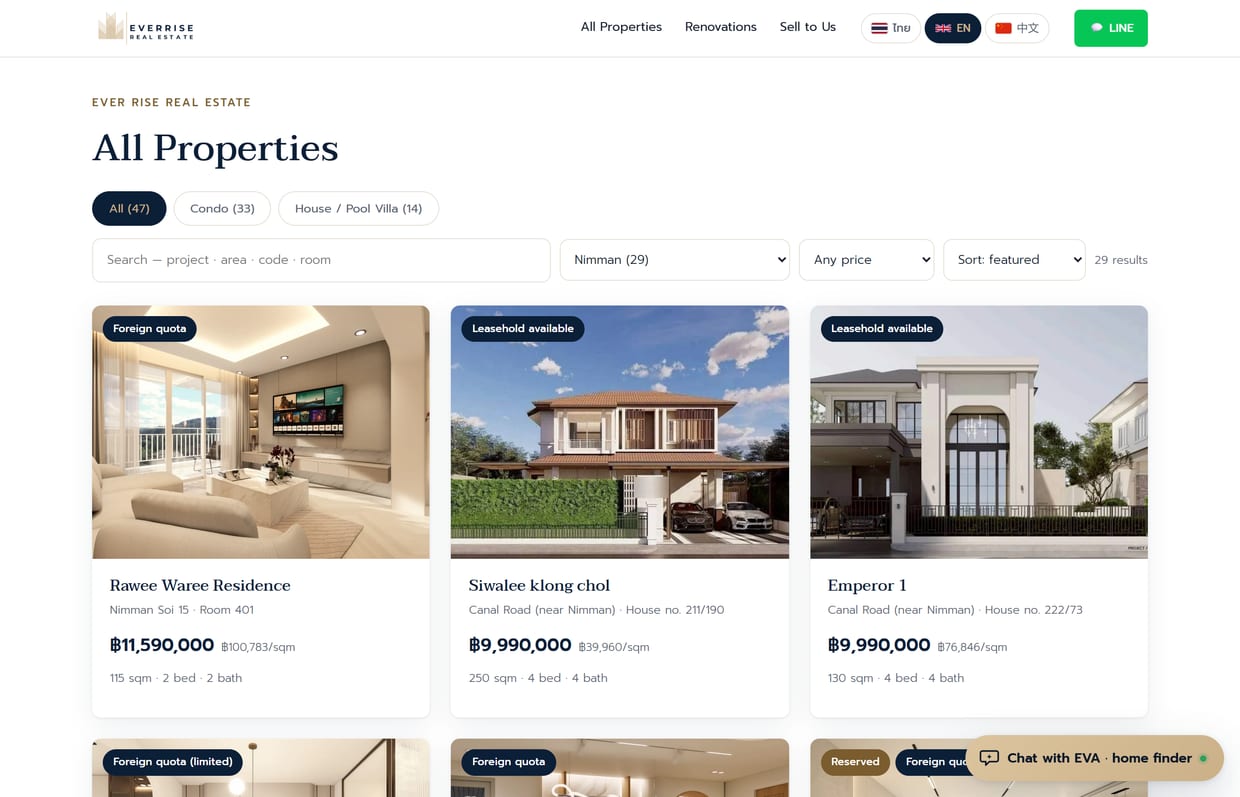
The page agents use most — narrow the listings to your client’s brief in a few clicks, then send them the link.
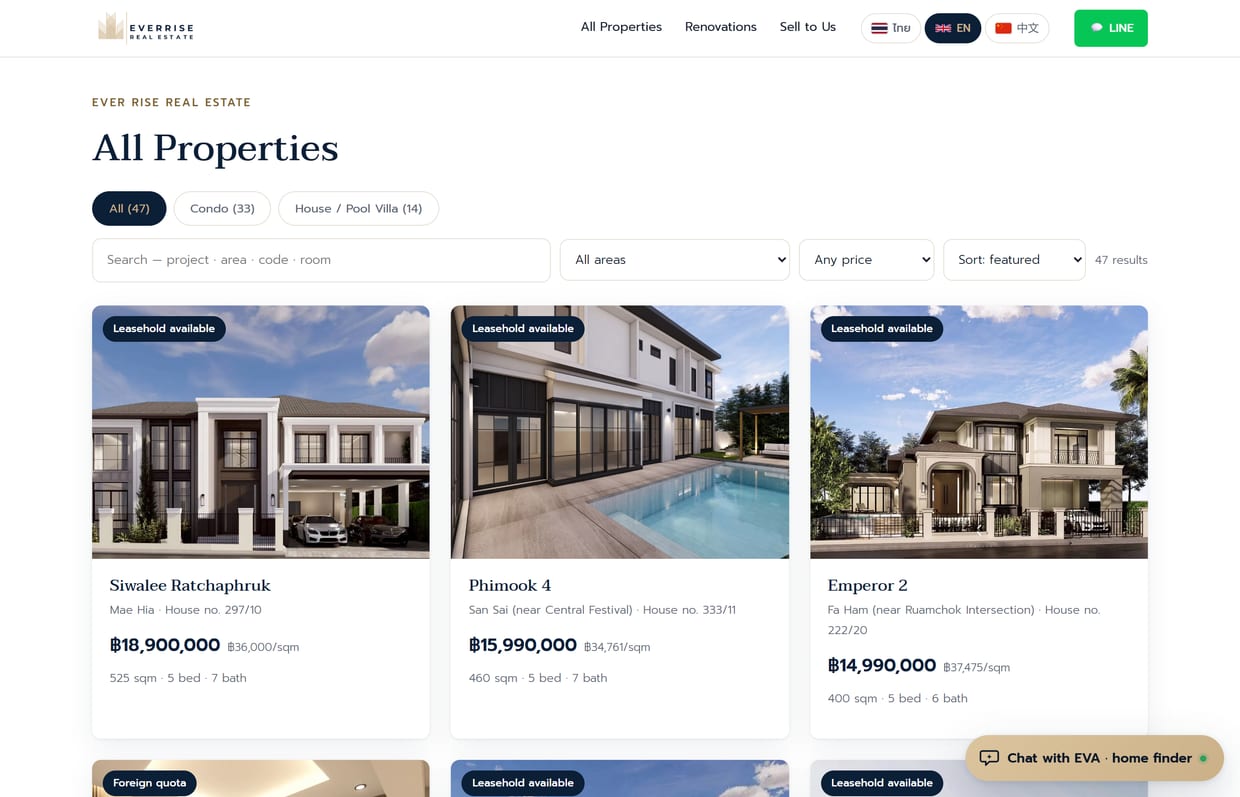
- Pick a type: Condo or House/Pool villa
- Pick a zone: dropdown (Nimman / City / Mae Hia / San Sai / San Kamphaeng) — the number in brackets = listings in that zone
- Pick a budget: a price band, e.g. up to 3M
- Search box: type a project name / area / code / unit number
The property detail page
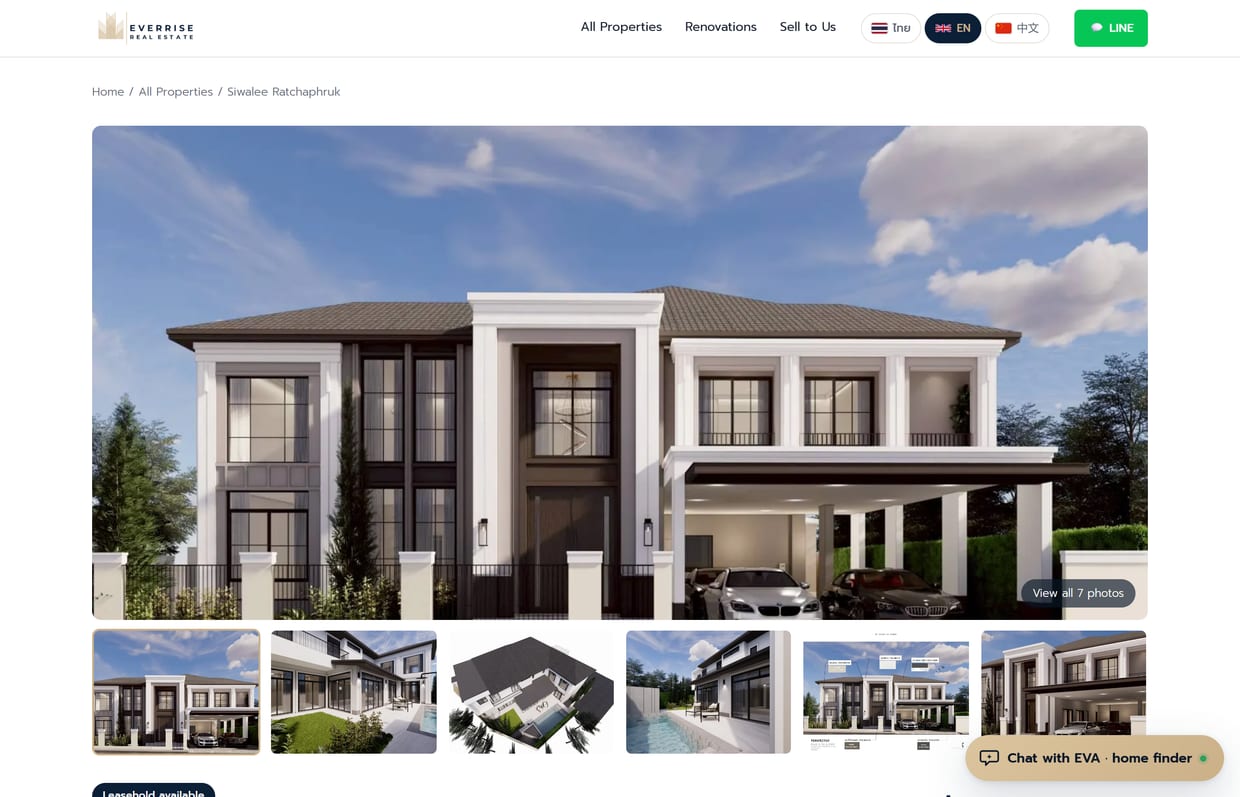
Click any listing for the full detail page — everything you need to answer a client is here.
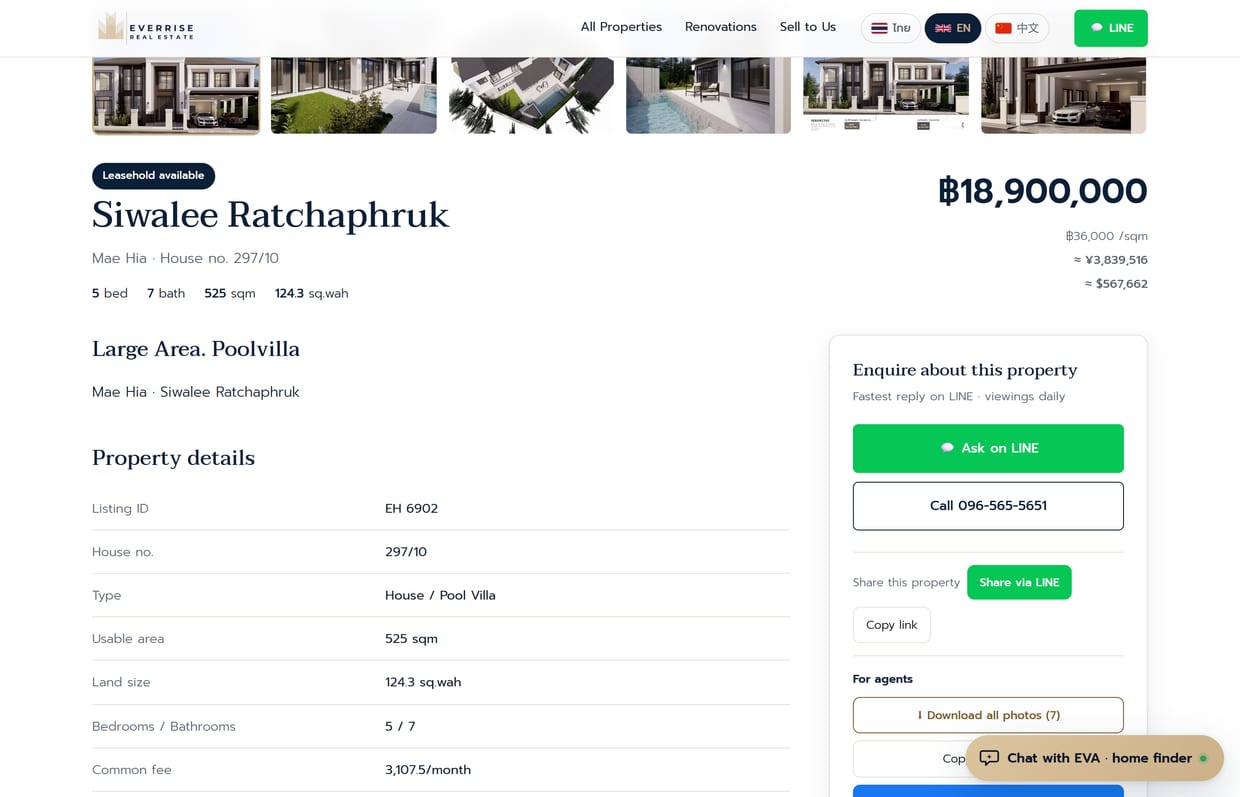
Agent tools Key
On the detail page of any active listing, scroll down to the “For agents” box — it lets you repost a property in one click, no saving photos one by one or retyping details.
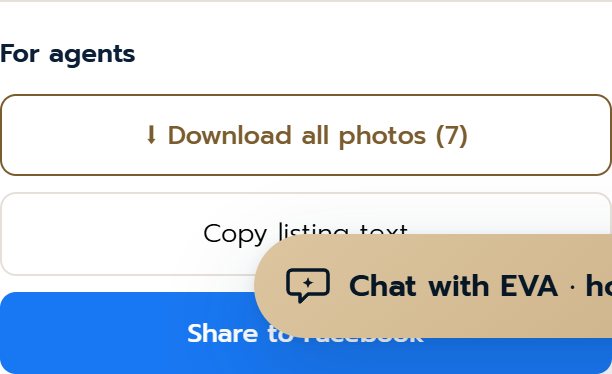
- ⬇ Download all photos: one click gets every photo as a ZIP (post-ready) — no saving one by one
- Copy listing text: copies the full description (price, specs, highlights) to paste into a post/chat instantly Ctrl+V
- Share to Facebook: opens the FB share window and copies the text — paste, post, and the cover photo loads automatically
Meet EVA & open it
EVA is the smart home-finding assistant on the site, answering clients 24/7 — price, size, area, distances, and popular questions like “Can foreigners buy?” Every number comes from the real listing database.
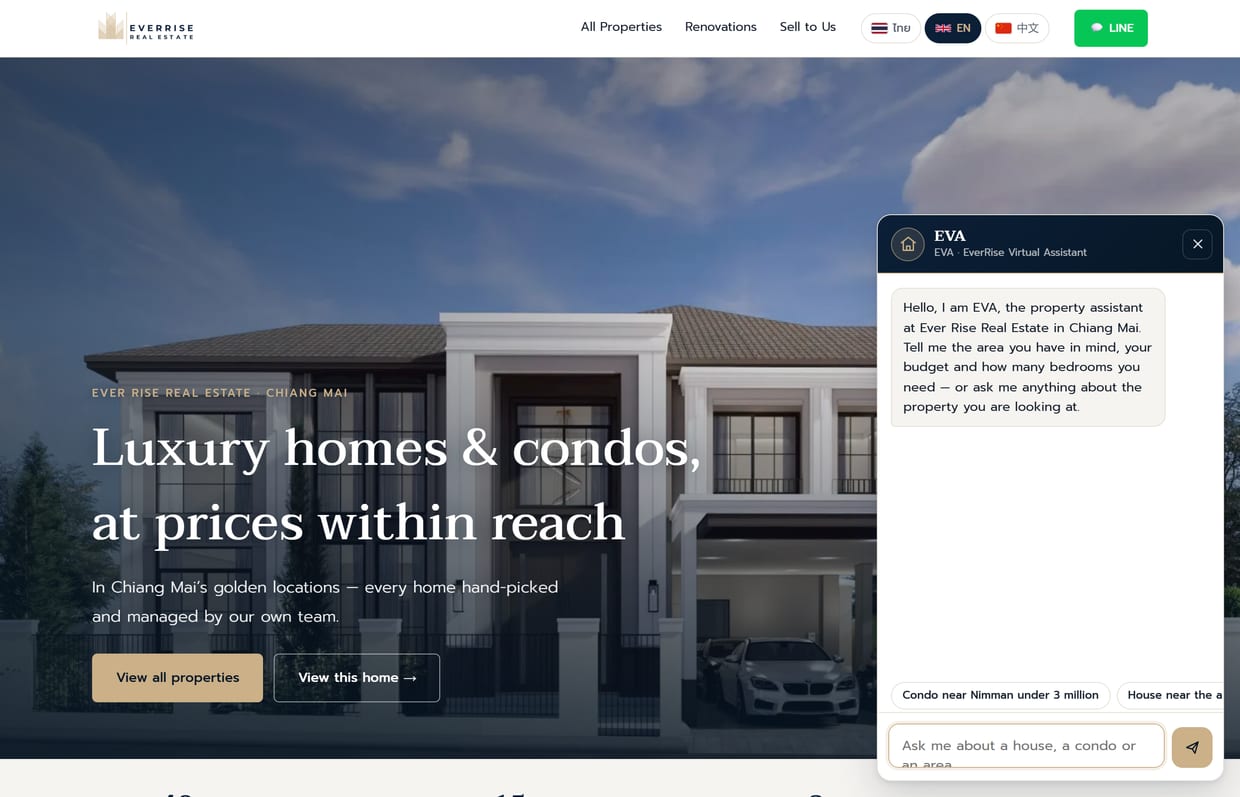
- Tap “Chat with EVA” bottom-right (green dot = ready)
- Quick-reply buttons for popular questions are ready to tap
- Speaker icon top = mute/unmute EVA’s voice · ✕ = close chat
Ask EVA — type or speak
Type your need in plain language, e.g. “condo near Nimman under 3 million” — EVA understands, brings matching listings, and filters the page automatically.
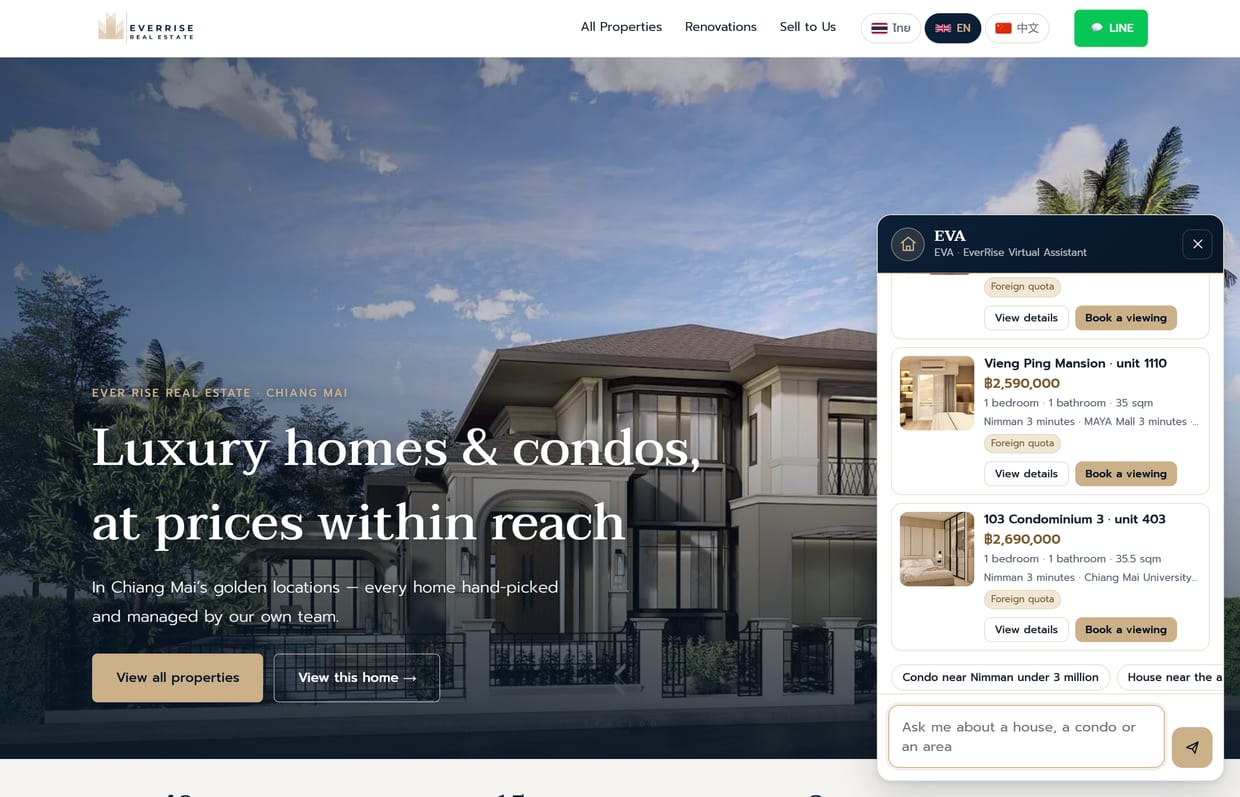
- Type: combine zone + budget + type in one sentence, e.g. “house in San Sai, 3 bedrooms, under 8M”
- Speak: tap the mic in the input → speak → tap again to send. EVA transcribes and answers
- When many listings match, EVA filters the page so you see them all
3 languages — TH / EN / 中文
Both the site and EVA support 3 languages, switchable top-right — ideal for foreign clients who can buy condos under the foreign quota.
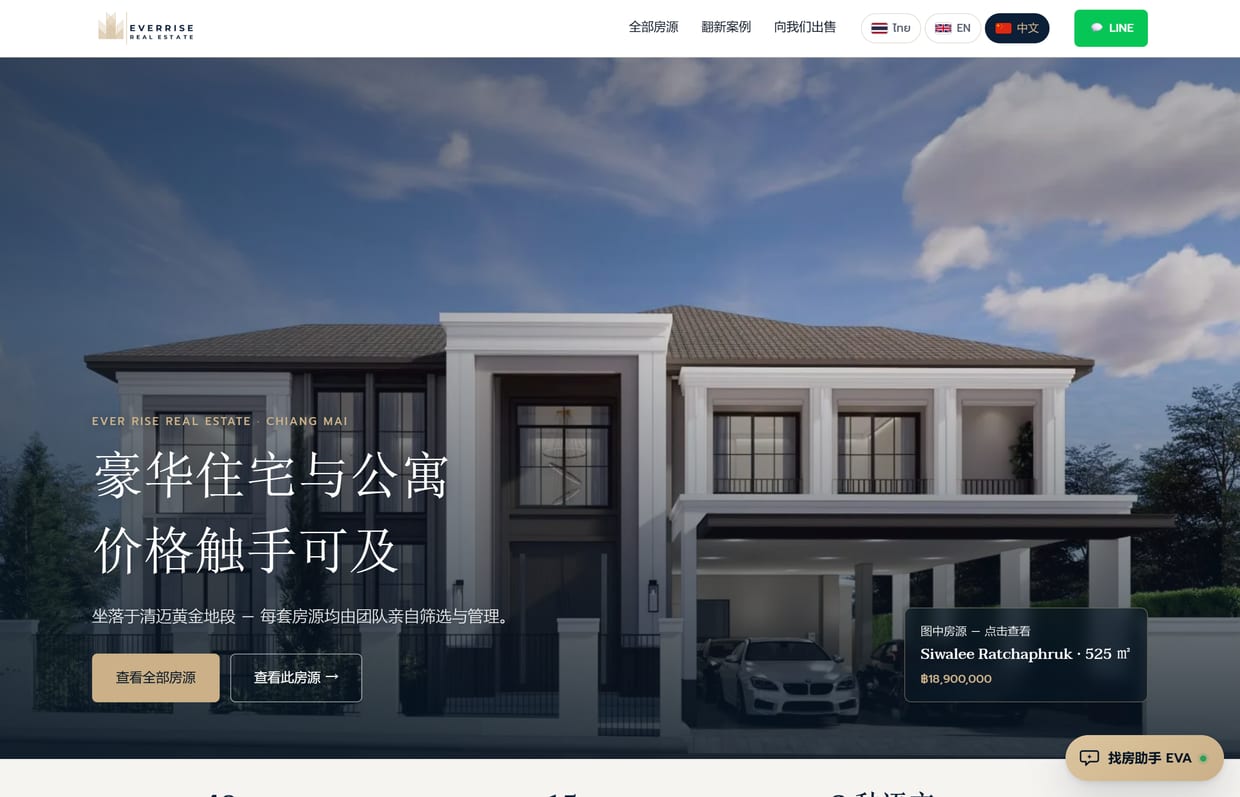
- Tap EN, 中文, or ไทย top-right — the whole page switches
- Chat with EVA in any of the three; it replies in the language your client typed
- Send the /en/ or /zh/ link directly to a foreign client
Using it in real sales
- Hear the brief → filter → copy the filtered URL and send it on LINE (step 2)
- Want to repost → open the listing, hit “Download photos” + “Copy listing text” (step 4)
- Client wants details → answer from the detail page, or let EVA handle it (step 6)
- Foreign client → switch language + point out the “Foreign ownership” badge (step 7)
After hours, let EVA take the first call
EVA answers price, area and foreign-ownership questions instantly, around the clock, then routes the lead to the team when the client is ready to view — so agents never miss a client, even when they’re busy.